If you’re exploring options for a Windows VPS, you might be asking yourself, “Does DigitalOcean provide Windows VPS?” DigitalOcean is a popular cloud infrastructure provider known for its simplicity and developer-friendly environment. While it primarily focuses on Linux-based systems, many users are curious about its offerings for Windows. In this article, we will dive into DigitalOcean’s capabilities regarding Windows VPS, the benefits of using a VPS, and some alternative solutions. For more details and insights, check out Windows VPS.

Understanding DigitalOcean’s Offerings
DigitalOcean primarily specializes in Linux-based virtual machines, known as “Droplets.” These Droplets are easy to set up and manage, making them a favorite among developers and startups. However, when it comes to Windows VPS, the situation is a bit different. DigitalOcean does not offer pre-configured Windows VPS instances directly. This means that if you specifically need a Windows server, you won’t find a native option on their platform.
Why Choose a VPS?
Before we delve deeper into alternatives, let’s briefly discuss why you might want a VPS. A Virtual Private Server offers several advantages:
- Dedicated Resources: Unlike shared hosting, a VPS allocates dedicated resources such as CPU, RAM, and storage, ensuring better performance and stability.
- Customization: With a VPS, you have root access, allowing you to install and configure software according to your specific needs.
- Scalability: VPS solutions are easily scalable, meaning you can upgrade your resources as your website or application grows.
Alternatives for Windows VPS
If you specifically need a Windows VPS, there are several alternatives to DigitalOcean that you might consider:
1. Amazon Web Services (AWS)
AWS offers a robust cloud platform with the option to launch Windows instances. Their Elastic Compute Cloud (EC2) service allows you to deploy Windows servers quickly and easily, with a variety of configurations available.
2. Microsoft Azure
As a Microsoft product, Azure provides seamless integration with Windows services. It offers a wide range of Windows server options and is particularly suited for businesses already using Microsoft products.
3. Vultr
Vultr is another cloud provider that offers Windows VPS instances. They provide a straightforward setup process and competitive pricing, making it a solid choice for users needing Windows environments.
4. Linode
While Linode primarily focuses on Linux, they do offer a way to run Windows servers through custom installations. However, this may require more technical expertise compared to other providers.
Setting Up a Windows VPS
If you choose to go with a provider that offers Windows VPS, the setup process typically involves the following steps:
- Select Your Provider: Choose a provider that meets your needs and budget.
- Choose Your Plan: Select a Windows VPS plan that offers the resources you require.
- Configure Your Server: During the setup, you can configure your server settings, including security options and software installations.
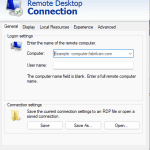
- Access Your Server: Once your server is set up, you can access it through Remote Desktop Protocol (RDP) or other management tools
In summary, while DigitalOcean does not provide Windows VPS directly, there are many alternatives available that cater to your needs. Understanding the benefits of a VPS and knowing your options can help you make an informed decision. Whether you choose AWS, Azure, or another provider, you can find a Windows VPS solution that fits your requirements. For more insights and resources, visit Windows VPS. Explore the world of virtual servers and find the perfect setup for your projects today!